04 FORM / MATERIAL / POSSIBILITY
HTech spatial tools
Making possibilities tangible.
Product configuration and spatial tools from HTech, where I worked as Chief Technology Officer.
Professional work · Former CTO at HTech · Team project archive
 See it in context
 LOOK AT THE TOOLS
Different ways into a room.
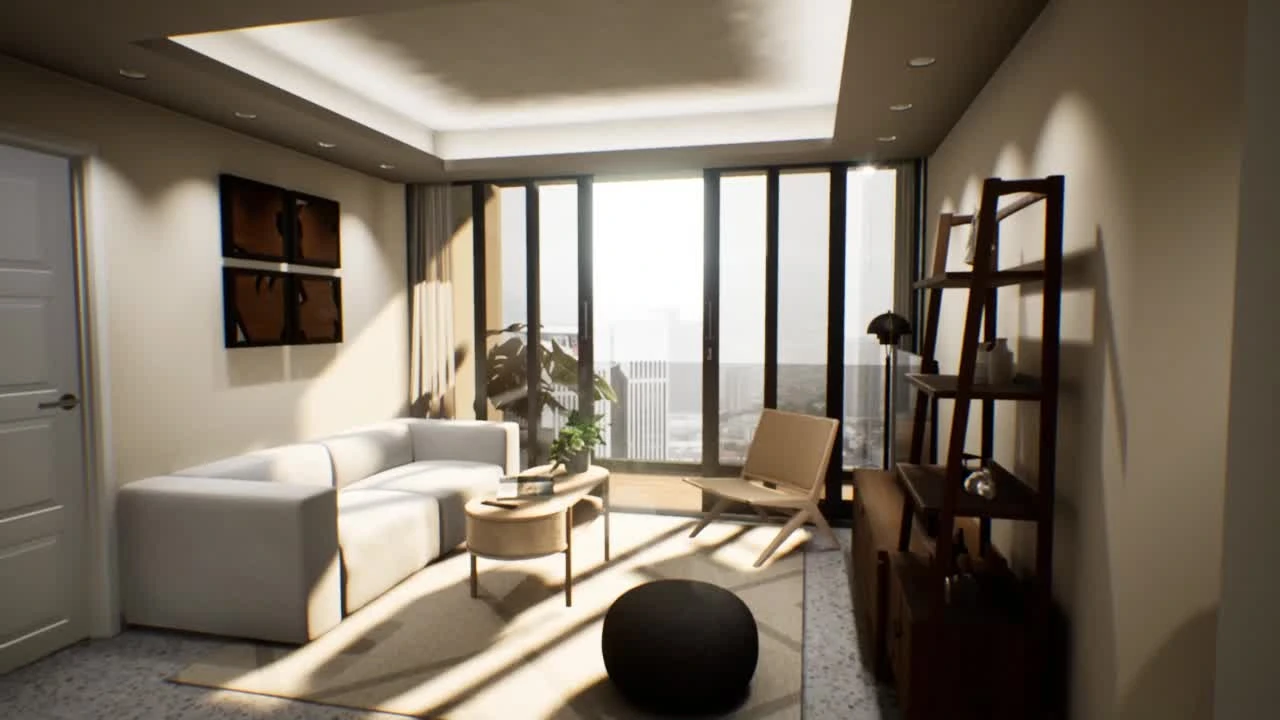
Explore placement, navigation and a view from inside the space.
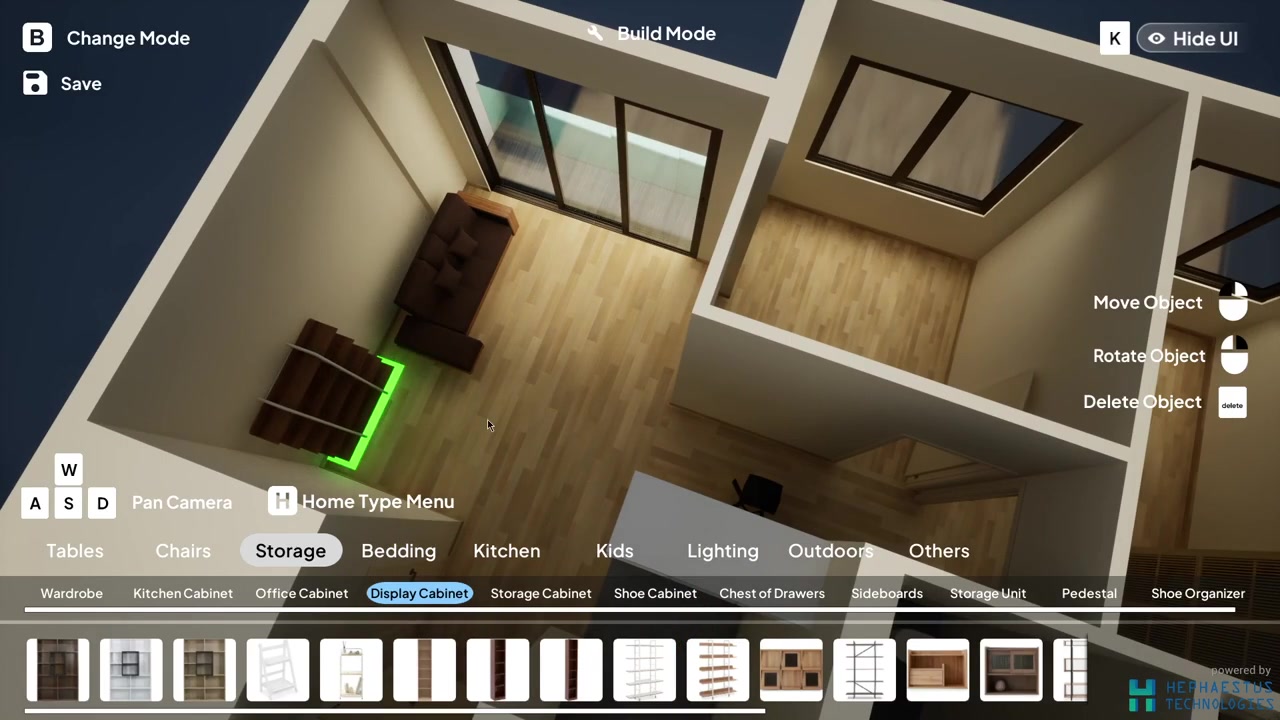
Original HTech team screenshots · March 2023. Related spatial products, shown in the context of my former CTO role.
See the object in the room.
Room Builder puts selected furniture into its spatial context. The workspace and the controls for moving, rotating and deleting stay together.
Read about the toolsA small form study: surface and layers
Interactive portfolio illustration · HTech project archive
Making a spatial idea something you can explore.
At Hephaestus Technologies (HTech), I worked as Chief Technology Officer. My work brought together game engines, AI/ML and digital twin systems for built environments.
Related work at HTech
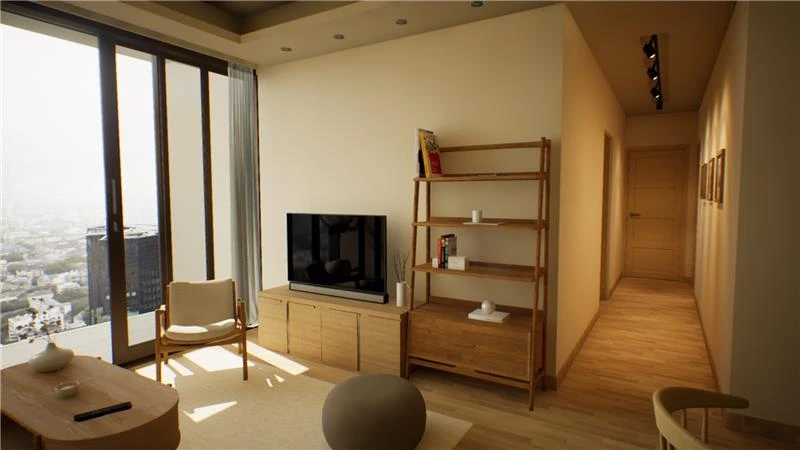
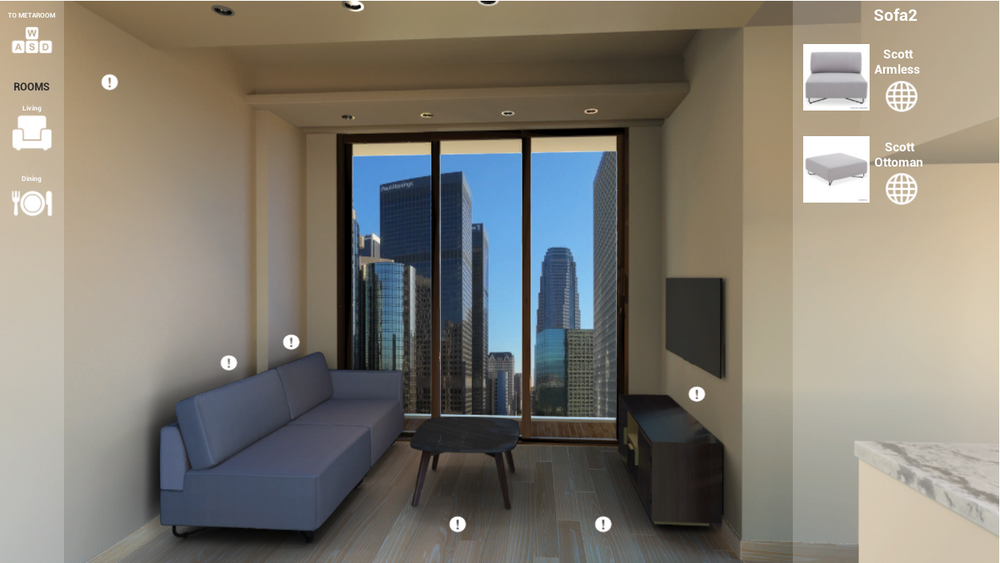
These screenshots come from HTech’s March 2023 presentation. They show Room Builder and Metaroom Lite: spatial tools in the product family alongside Product Configurator.
 View closer
  View closer
 This is the archived Metaroom Lite browser demo, rather than a Product Configurator build.
From a product to its surroundings
HTech’s product family included Product Configurator, Room Builder and Metaroom Lite. These tools approached related questions at different scales: how a product looks, where an object sits, and how choices change a room.
Choices you can see
The Room Builder capture shows a top-down workspace with object categories and move, rotate and delete controls. Metaroom Lite places product choices beside a furnished room. Both make the relationship between a choice and its spatial context visible.
The material study above is a small interaction made for this portfolio. Change a finish or separate the layers, then compare it with the original product screenshots in this story.
A chapter of professional practice
This is a concise archive of the company’s spatial tools and the context of my role. The screenshots are credited to the HTech team. They show Room Builder and Metaroom Lite, rather than a Product Configurator build.
- Organisation
- Hephaestus Technologies / HTech
- My role at HTech
- Chief Technology Officer · former role
- Product screenshots
- HTech team · March 2023 presentation